System SSH
One alias from your ~/.ssh/config.
OpenSSH does the rest — user, key, ProxyCommand, jump hosts — exactly as on the command line.
Free for macOS · v0.8.2
Every machine you look after, in one window — plain SSH, your ~/.ssh/config, and EC2 instances behind AWS Session Manager with no open port and no public IP.
Universal: Apple silicon and Intel. Not yet notarised — right-click → Open the first time.
Four ways in
Each connection records exactly how to reach its machine, so you never assemble the command again.
One alias from your ~/.ssh/config.
OpenSSH does the rest — user, key, ProxyCommand, jump hosts — exactly as on the command line.
Host, user and credentials.
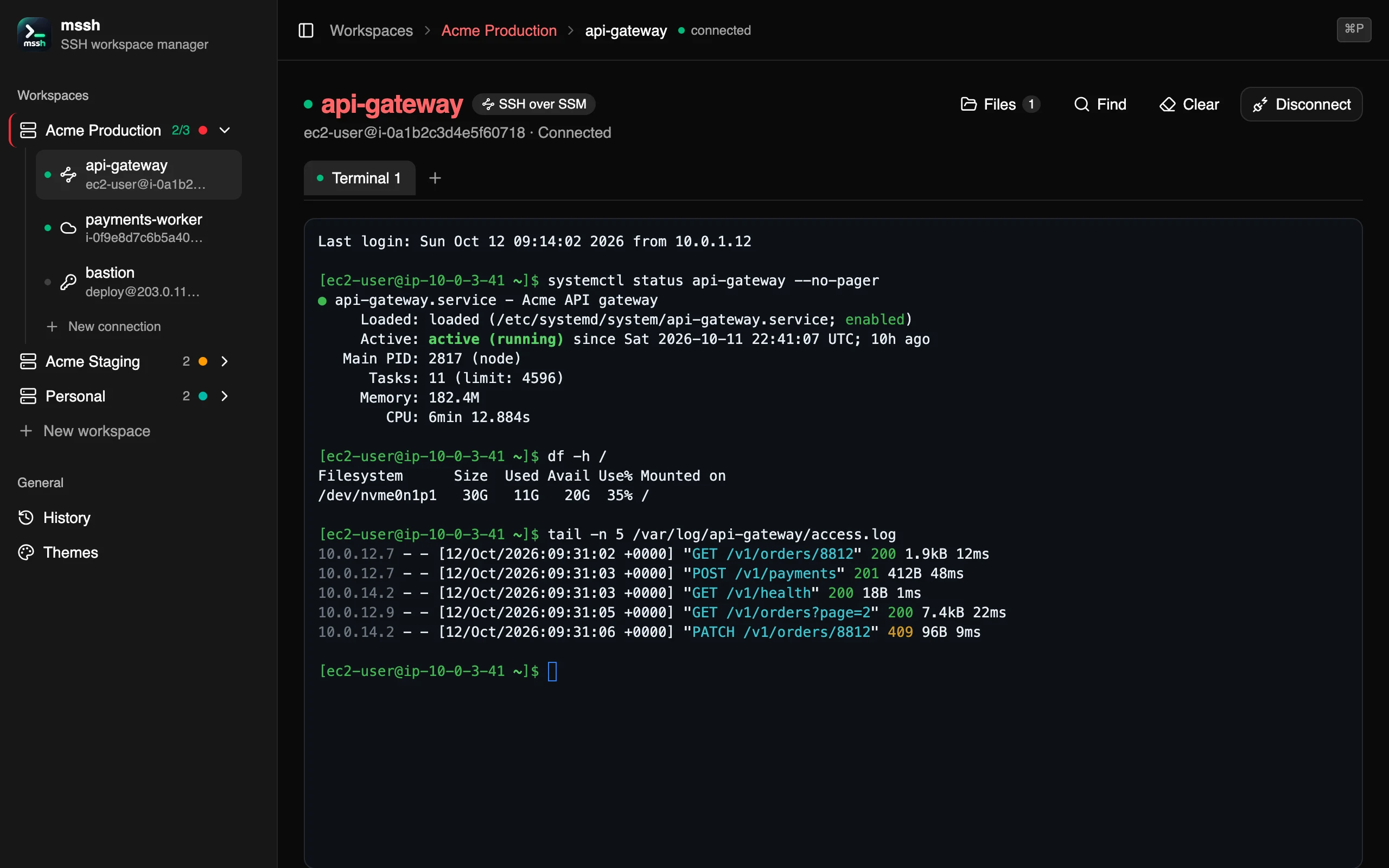
The SSH client is compiled in. Agent, key file or a saved password; host keys always checked.
An instance id, a profile, a region.
Session Manager reaches instances with no open port and no public IP. You land as ssm-user.
Session Manager, then real SSH inside it.
The private-subnet tunnel, your own user, and file transfer — all through the same connection.
Setting up
Describe the machine once — mssh remembers how to reach it. Paste an ssh command and it fills the form in for you.
A name, a colour, and the AWS profile and region its SSM machines inherit. Use the AWS CLI's own configuration, or keep a key pair here.
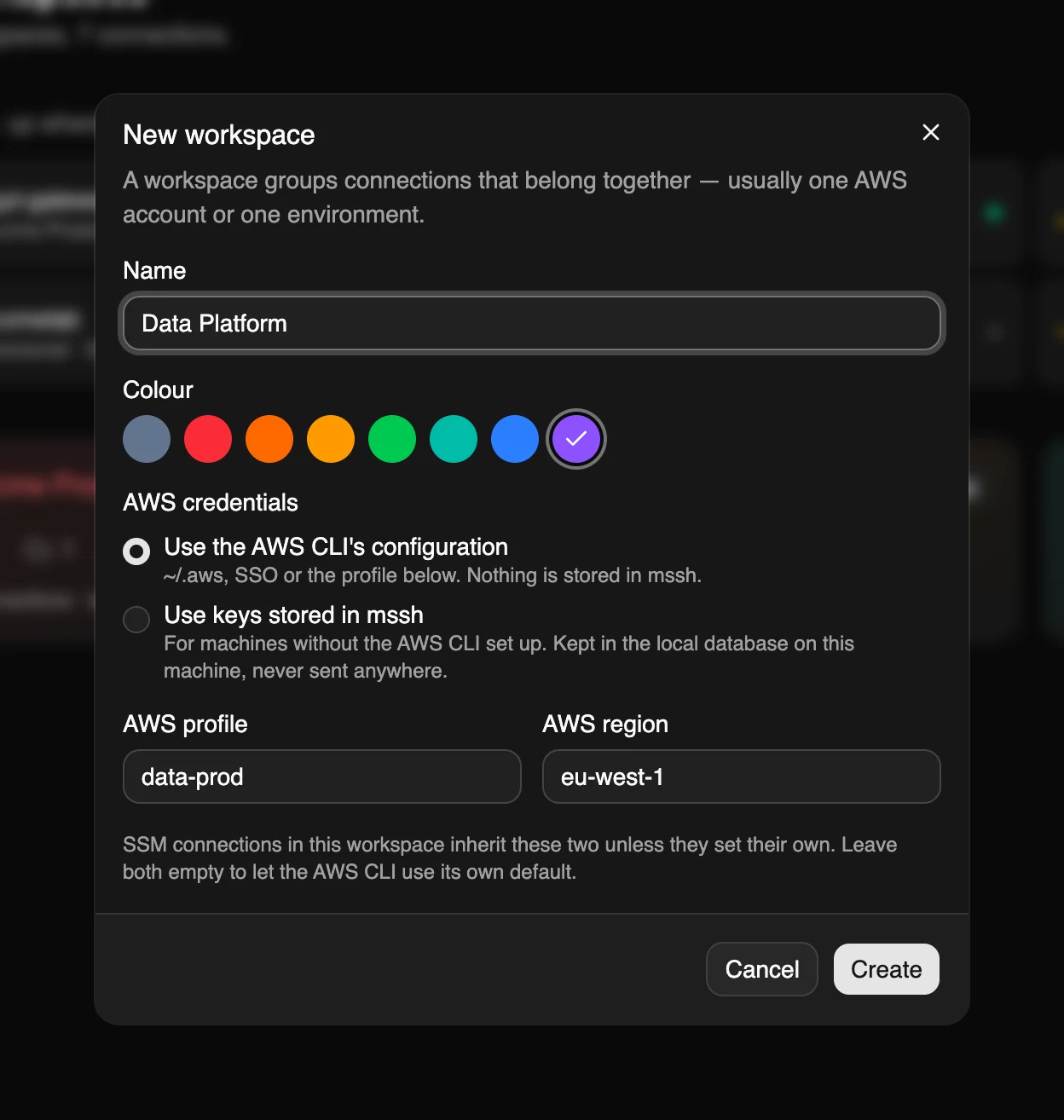
Pick how to reach it, then fill in only what that way needs. Here: SSH over SSM, by instance id, as ec2-user with a key file — profile and region inherited.
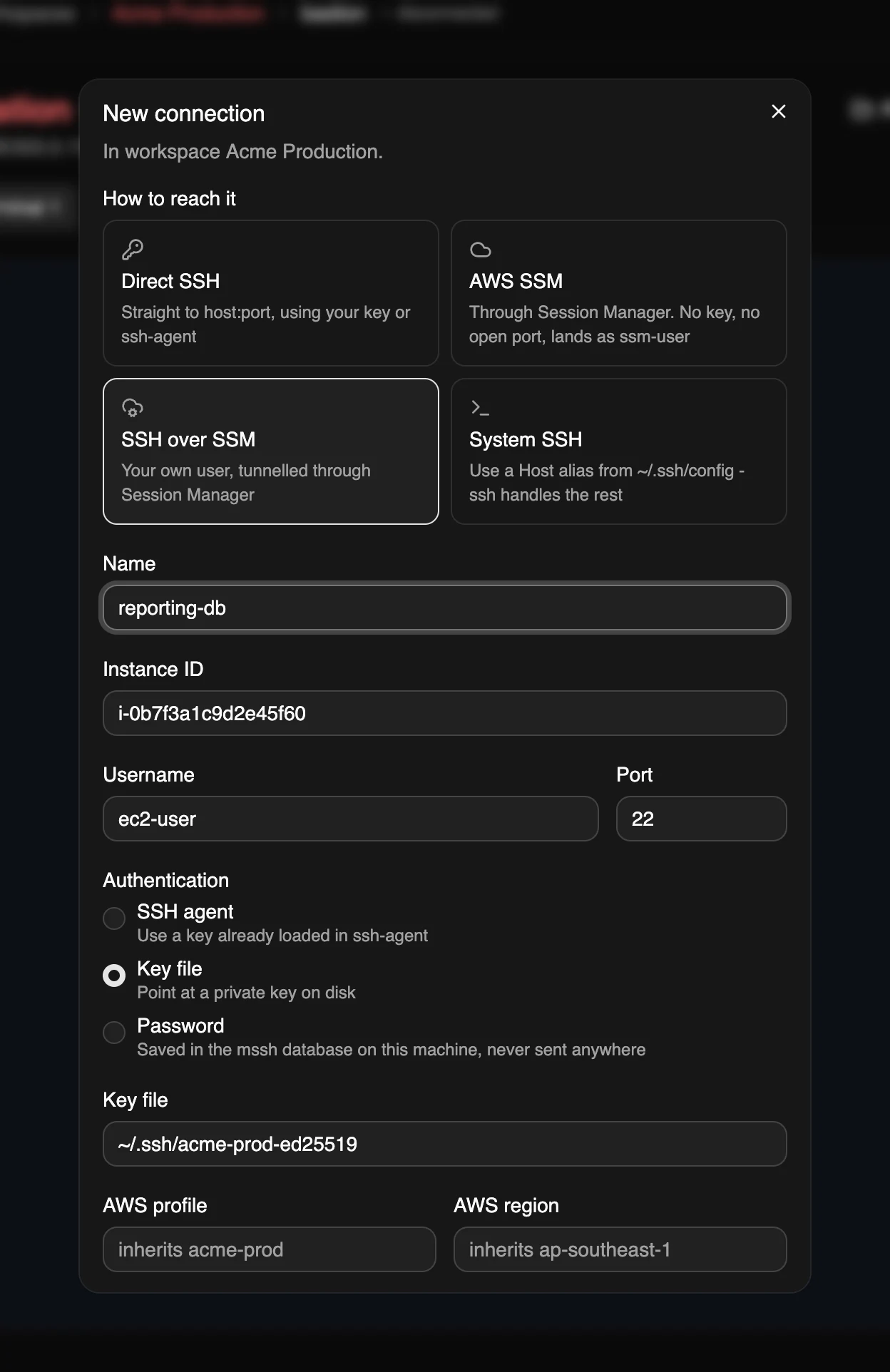
Workspaces
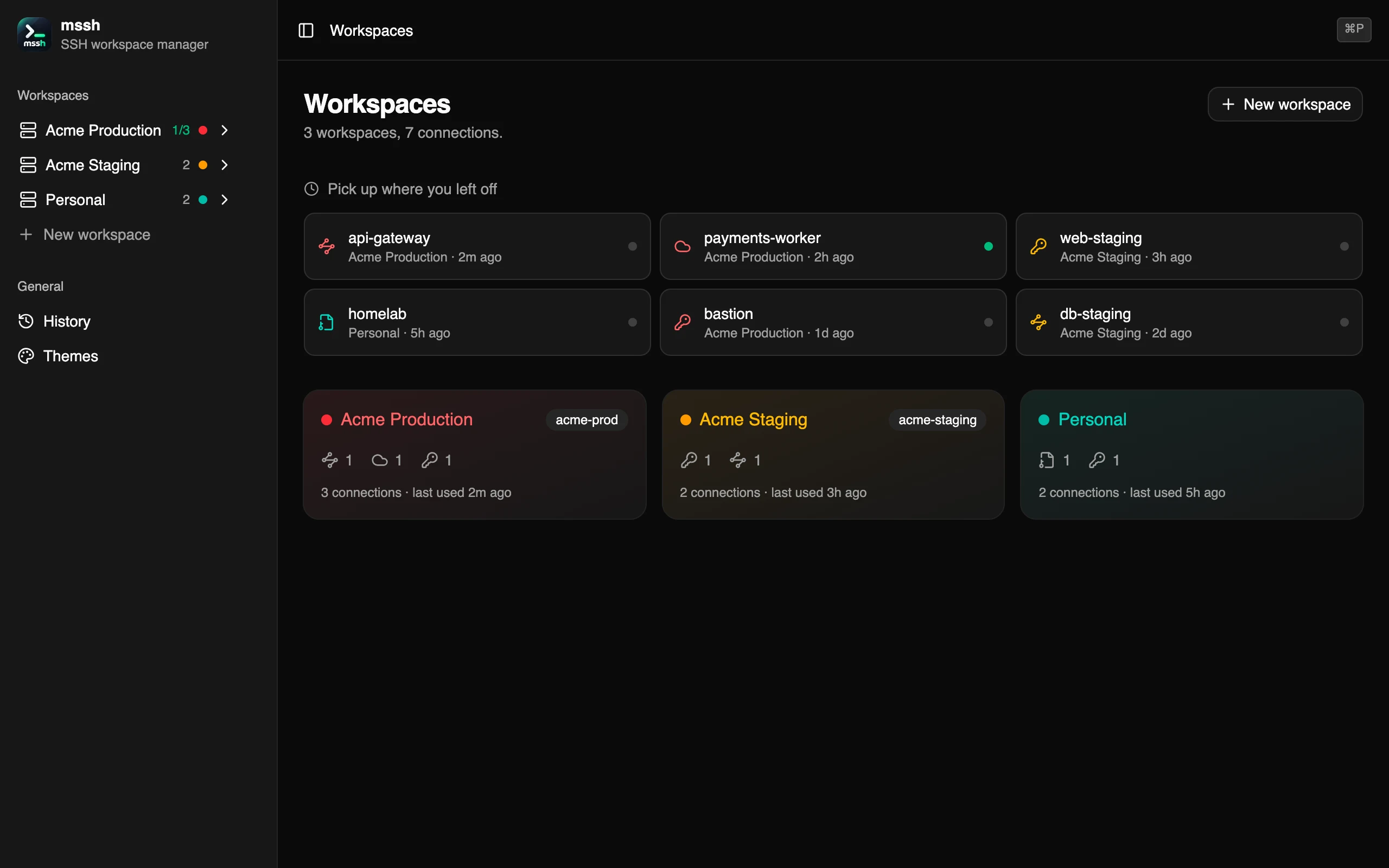
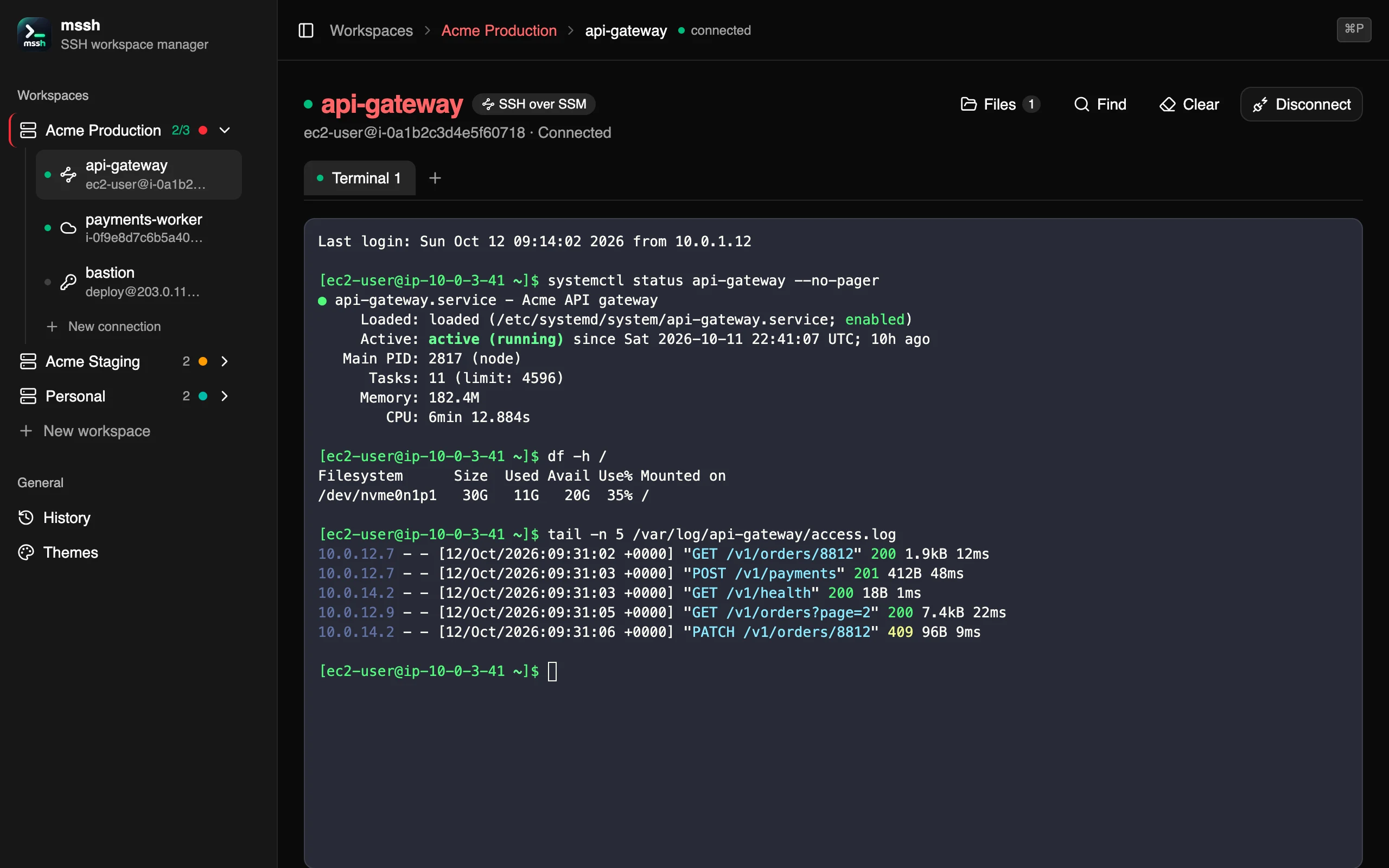
Group machines with a colour and their own AWS profile and region. The home page picks up where you left off, and the sidebar shows which machines have a session open.
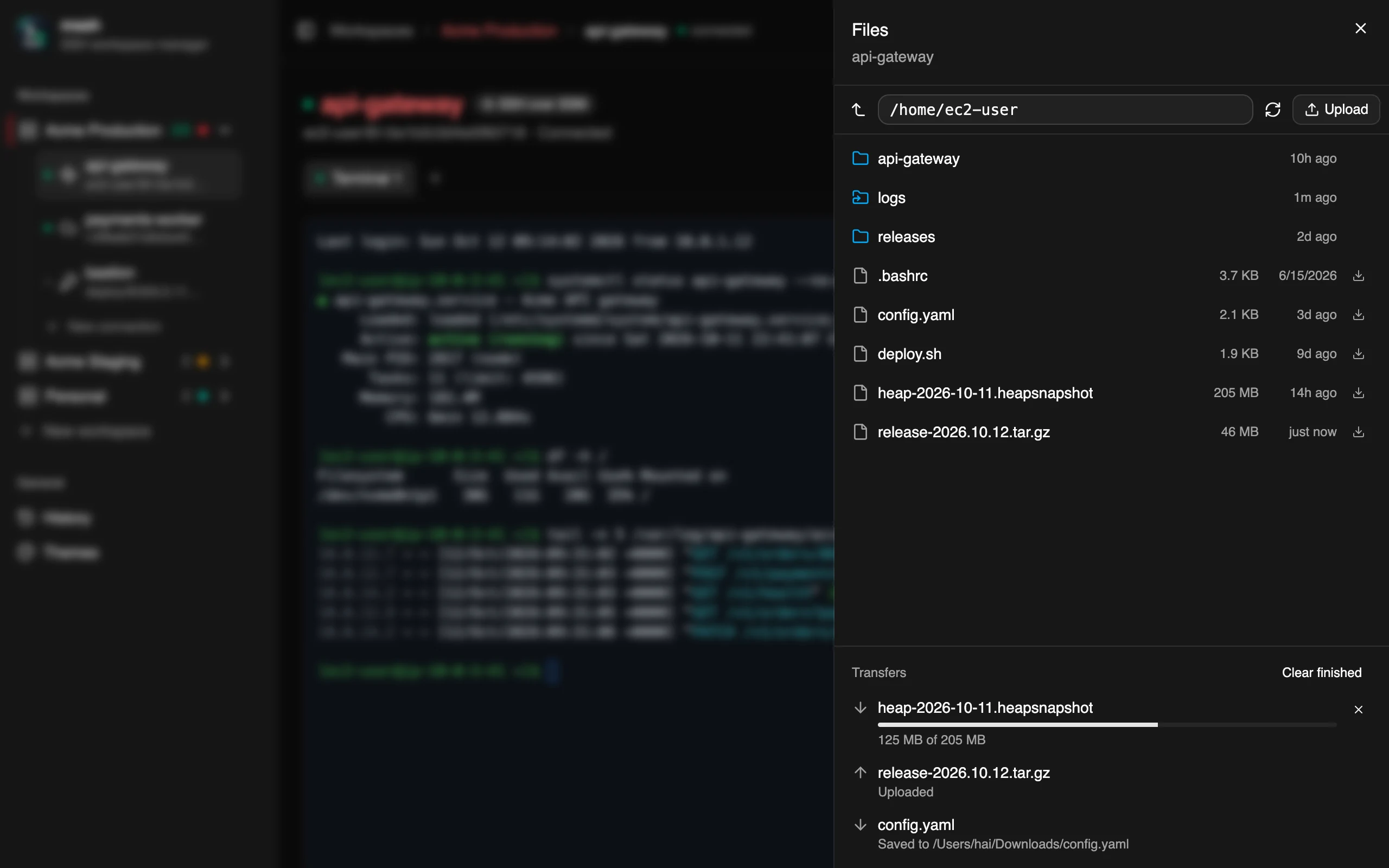
Files · ⌘E
Browse, download and upload over SFTP on the terminal’s own SSH connection — no second login, no second tunnel, and it works through Session Manager too. Every transfer writes to a hidden file and takes its real name only when complete, so a cancelled upload never leaves half a file behind.
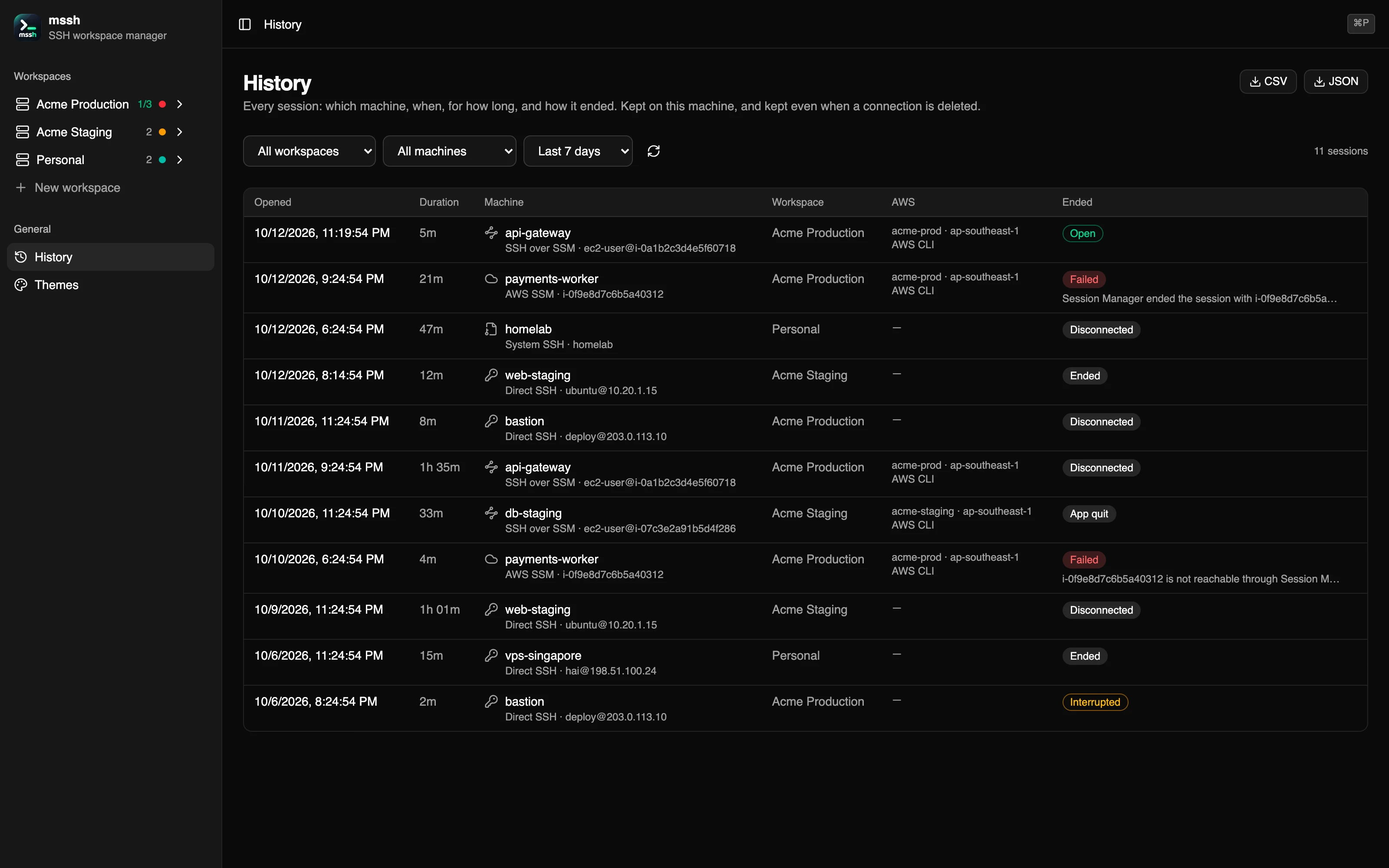
History
Every session is recorded with its machine, workspace, AWS profile and how it ended. Filter by workspace, machine and time, and export CSV or JSON. The record stays when a machine is renamed or deleted — and it stays on your Mac.
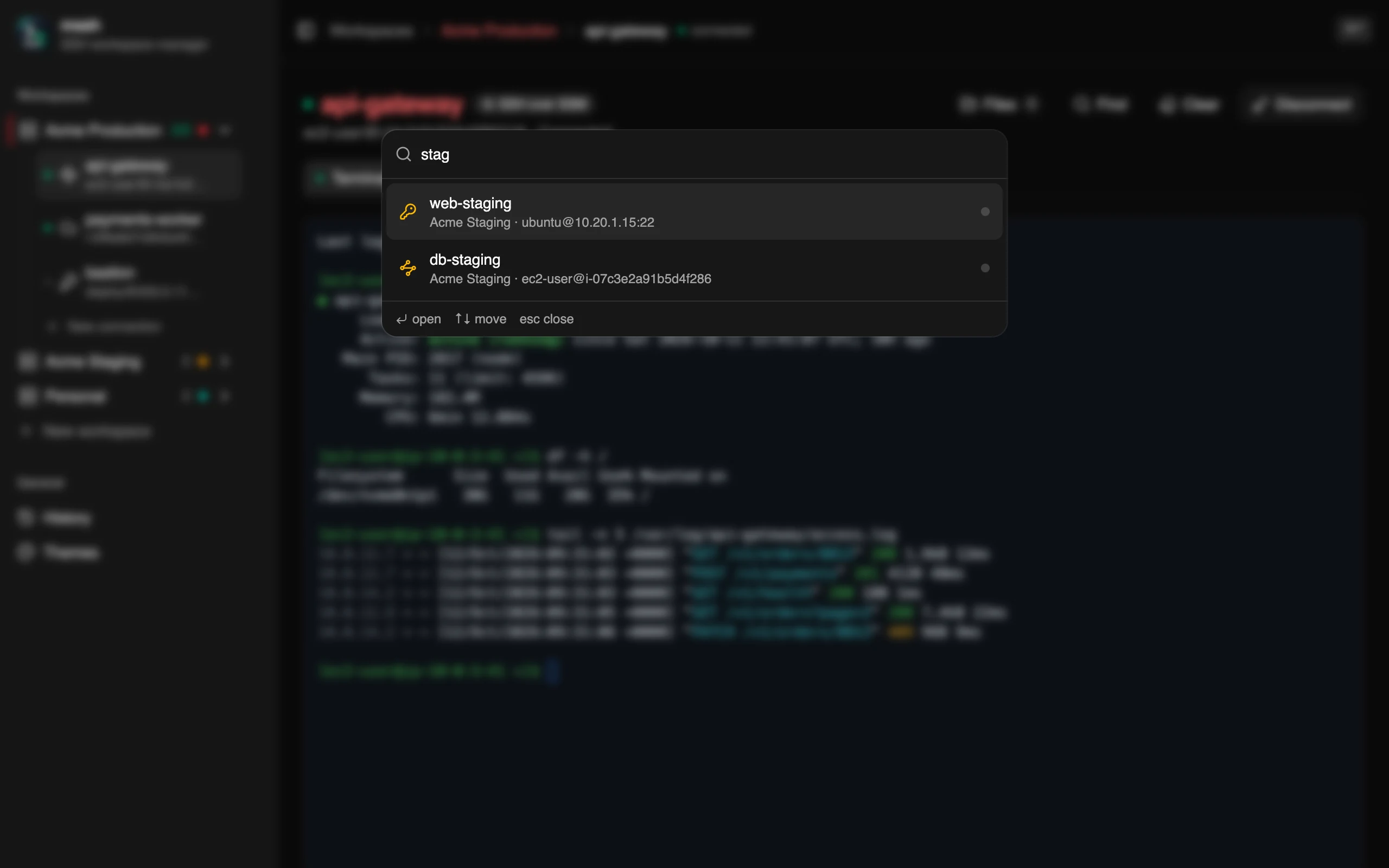
⌘P
A command palette for your whole fleet. Type a few letters, press return, and you are on the machine — with its last session still there if it is open.
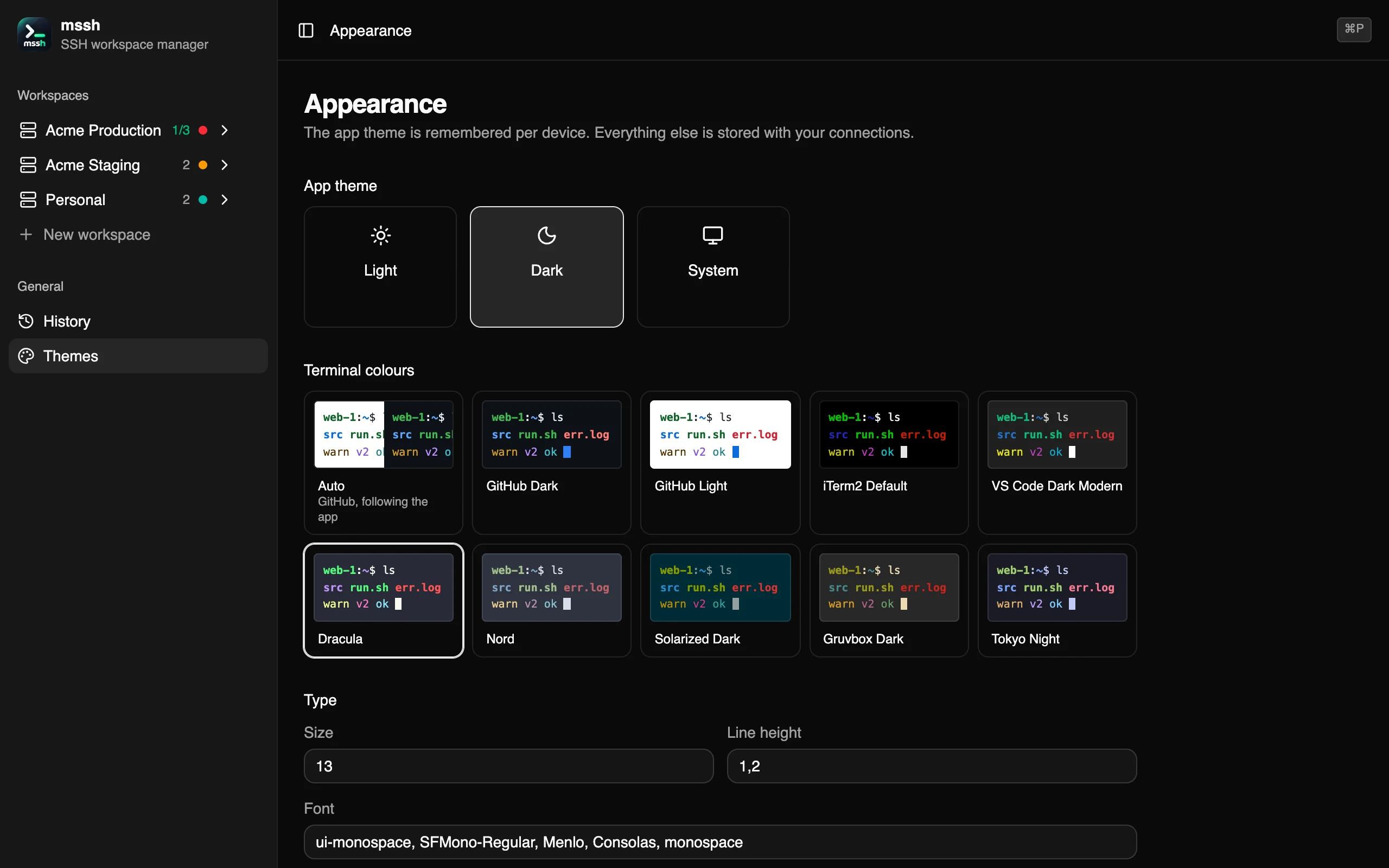
Appearance
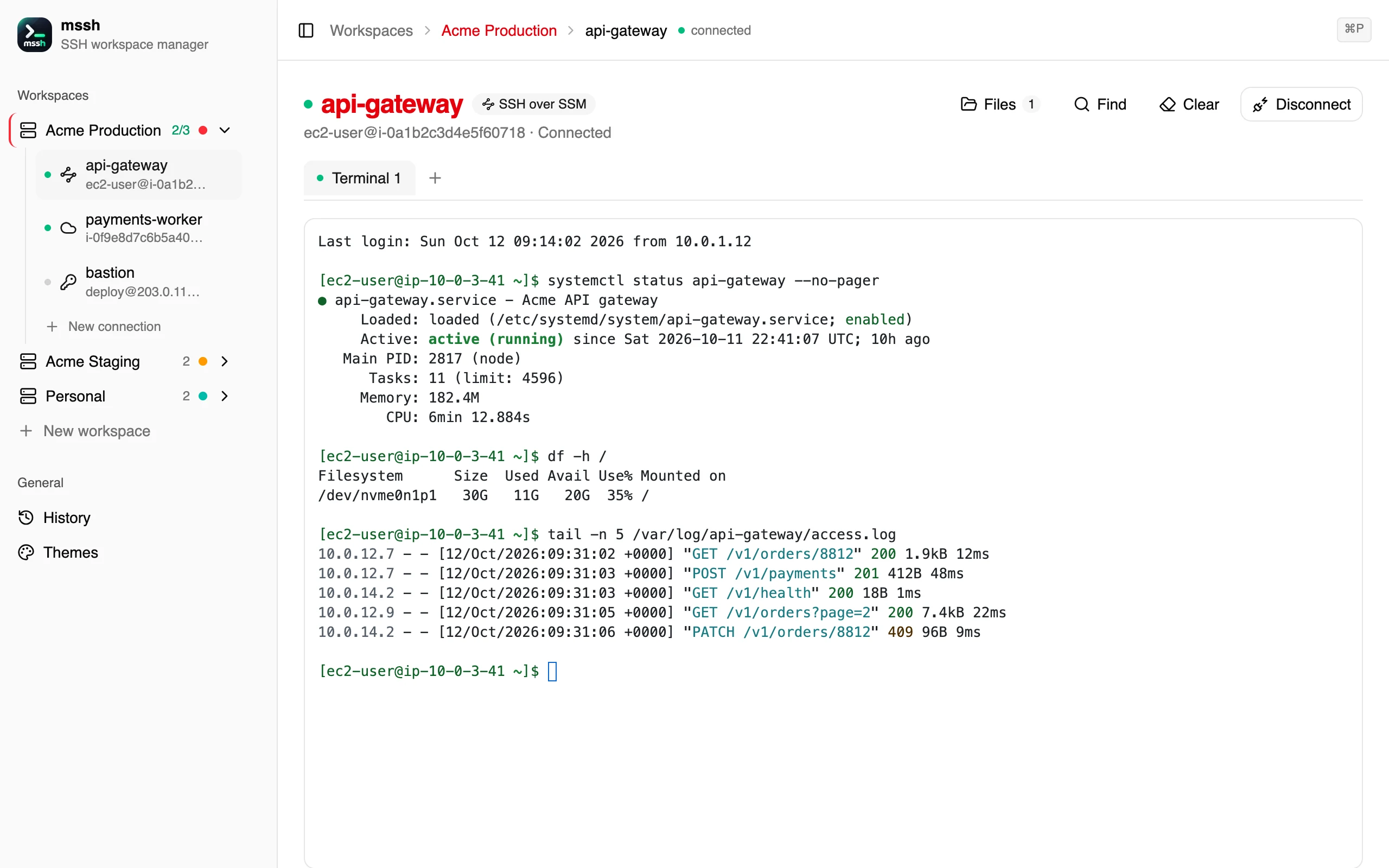
GitHub, iTerm2, VS Code, Dracula, Nord, Solarized, Gruvbox and Tokyo Night — or Auto, which follows macOS between light and dark. Font, size, line height and cursor apply to live sessions, without reconnecting.
The details
Several terminals per machine. Switch pages and come back to the same scrollback, the same directory, the same running top.
A full pty with xterm-256color: vim, htop and colours work, and the remote shell follows the window as you resize it.
⌘F finds text anywhere in a session, every match highlighted, with a running count.
The first time, mssh shows the fingerprint and asks — even through an SSM tunnel. A key that changed is refused, never offered.
When sshd’s MaxStartups turns a login away before it authenticates, mssh tries again on its own — over SSM too.
Use the AWS CLI’s own profiles and SSO, or keep a key pair on a workspace — imported from your shell in one click.
mssh has no servers of its own. It talks to your machines and to AWS, and to nothing else.
Install
brew install awscli
brew install --cask session-manager-plugin
FAQ
Yes. There is no account, no subscription and no telemetry. Download the app from the GitHub releases page.
Through AWS Systems Manager Session Manager, the same way `aws ssm start-session` does. The instance needs the SSM Agent and an IAM role with AmazonSSMManagedInstanceCore; your Mac needs the AWS CLI and the Session Manager plugin. With SSH over SSM, mssh then runs a real SSH handshake through that tunnel, so you log in as your own user and can transfer files.
In a local SQLite database on your Mac, readable by you alone (0600 in a 0700 directory). Nothing is synced or sent anywhere. AWS credentials stay with the AWS CLI unless you choose to keep a key pair on a workspace, and even then they are handed to the AWS CLI through its environment, never its command line.
The app is not yet signed with an Apple Developer ID, so Gatekeeper cannot vouch for it. Right-click mssh.app, choose Open, and confirm — you only have to do this once.
Not yet. mssh is built and tested on macOS (Apple silicon and Intel). Windows and Linux installers are planned.
Yes. The System SSH kind takes a Host alias and nothing else: OpenSSH supplies the user, the key, ProxyCommand, jump hosts and host-key checking, exactly as on the command line.
Free, local, and built for the machines that are hardest to reach.
Download mssh 0.8.2